

DEM Modeling of Four-Way Coupled Particle Flow in an Industrial Pipe CFD Simulation by ANSYS Fluent
Price: $150
- The problem numerically simulates particle-laden airflow in a long pipe with a bend using ANSYS Fluent software.
- We perform this simulation in steady state for the fluid phase with unsteady (transient) particle tracking.
- We model the problem using a four-way coupled DEM–CFD DPM approach to capture particle–particle and particle–fluid interactions.
- The DEM collision model, Saffman lift force, and two-way turbulence coupling are included as per project requirements.
- The geometry is created in ANSYS Design Modeler and meshed in ANSYS Meshing with an unstructured grid of about 382,000 elements.
DEM Modeling of Four-Way Coupled Particle Flow in an Industrial Pipe CFD Simulation by ANSYS Fluent
Price: $150
- The problem numerically simulates particle-laden airflow in a long pipe with a bend using ANSYS Fluent software.
- We perform this simulation in steady state for the fluid phase with unsteady (transient) particle tracking.
- We model the problem using a four-way coupled DEM–CFD DPM approach to capture particle–particle and particle–fluid interactions.
- The DEM collision model, Saffman lift force, and two-way turbulence coupling are included as per project requirements.
- The geometry is created in ANSYS Design Modeler and meshed in ANSYS Meshing with an unstructured grid of about 382,000 elements.

DEM Modeling of Four-Way Coupled Particle Flow in an Industrial Pipe
Project Description:
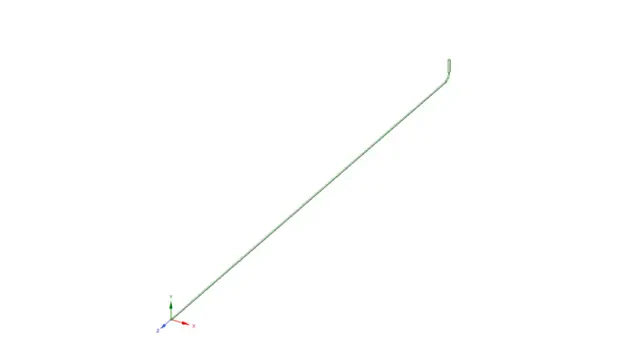
In this project, airflow containing particles in a long pipe is simulated using the Discrete Element Method (DEM) coupled with CFD. The particle flow is 0.0031 kg/s with a constant diameter of 1.8mm. Thus, the particle-particle interaction should be considered in this problem. In addition, the pipe length is 14m with a 0.0574m diameter, as illustrated below.
Methodology:
As mentioned in the project description, the particle-particle interaction effectively affects the results. Thus, the simulation is performed using a four-way DPM model. Note that the Saffman lift force could impact the results only when there are sub-micron particles, but we have applied it as the client asked. The DEM collision model and two-way Turbulence coupling are also used.
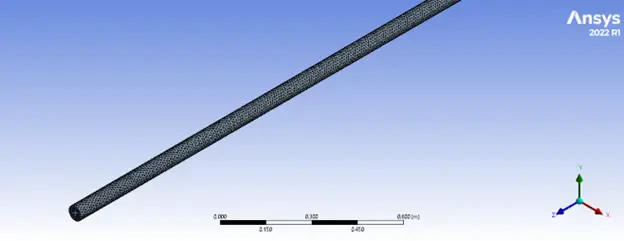
Geometry for the DEM–CFD simulation is designed in ANSYS Design Modeler. In addition, an unstructured mesh grid is generated using ANSYS Meshing software. As a result, about 382000 elements with 0.25 minimum orthogonality were generated.
Results:
The simulation is carried out in steady form with unsteady particle tracking. The total mass in the domain has been monitored to check convergence. Therefore, more than 150000 iterations were needed to achieve an acceptable convergence!
The total number of particles in the domain is 1.962659e+03, which has a 6.892216e-03kg mass.
The particle's mean velocity is the other problem that must be mentioned because it can have a zero velocity at a point and a sudden change after a collision. Therefore, we devised sample particles to pick in each step and report the mean velocity to get plausible values.
However, the report focuses on the particle's mean velocity through bend cross sections, other practical contours, and animation, which are also extracted and shown below.
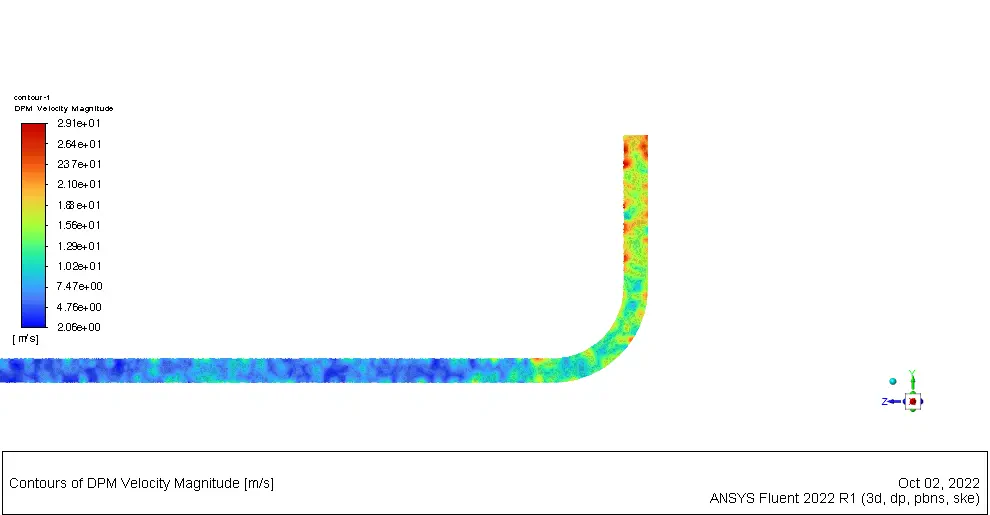
First, the DPM particle's velocity contours are taken to get a whole simulation picture, shown below.
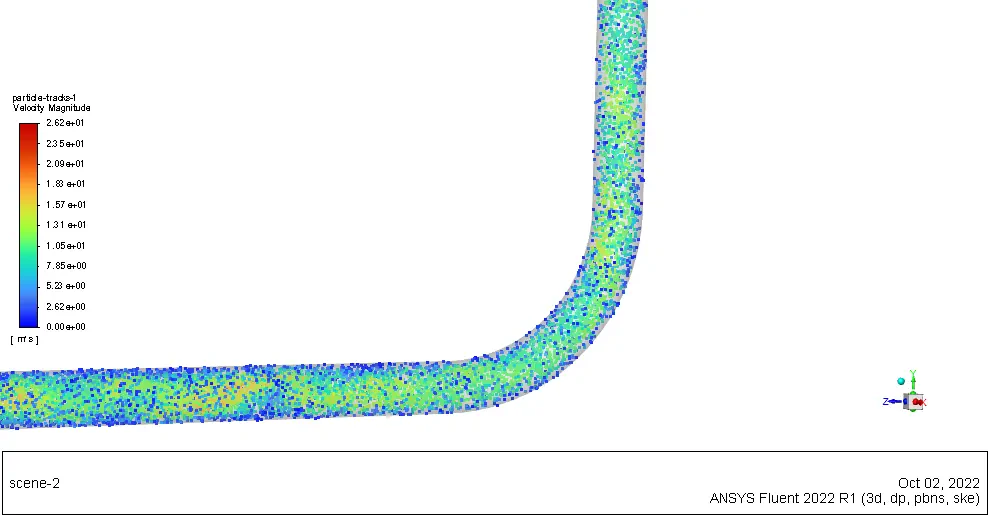
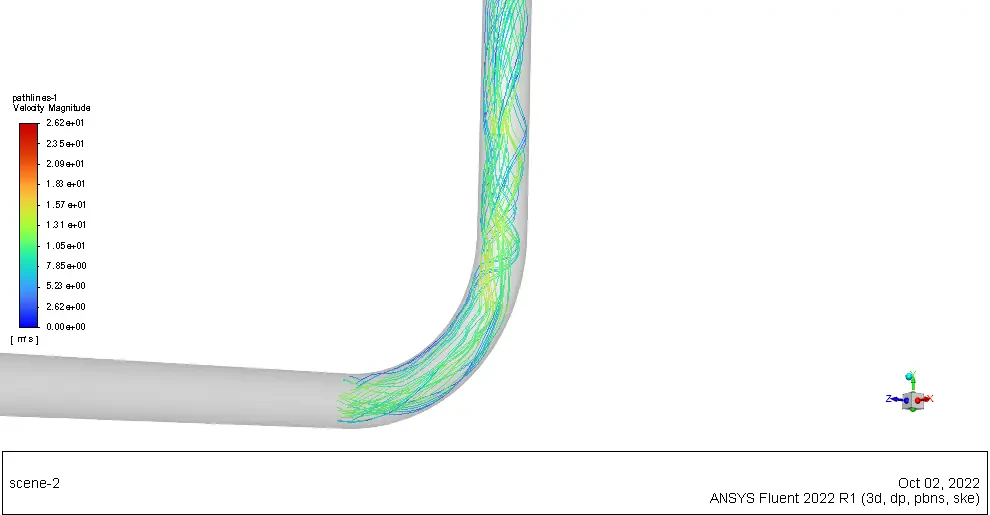
The pathline contour can also give us a general idea of the motion through the bend:
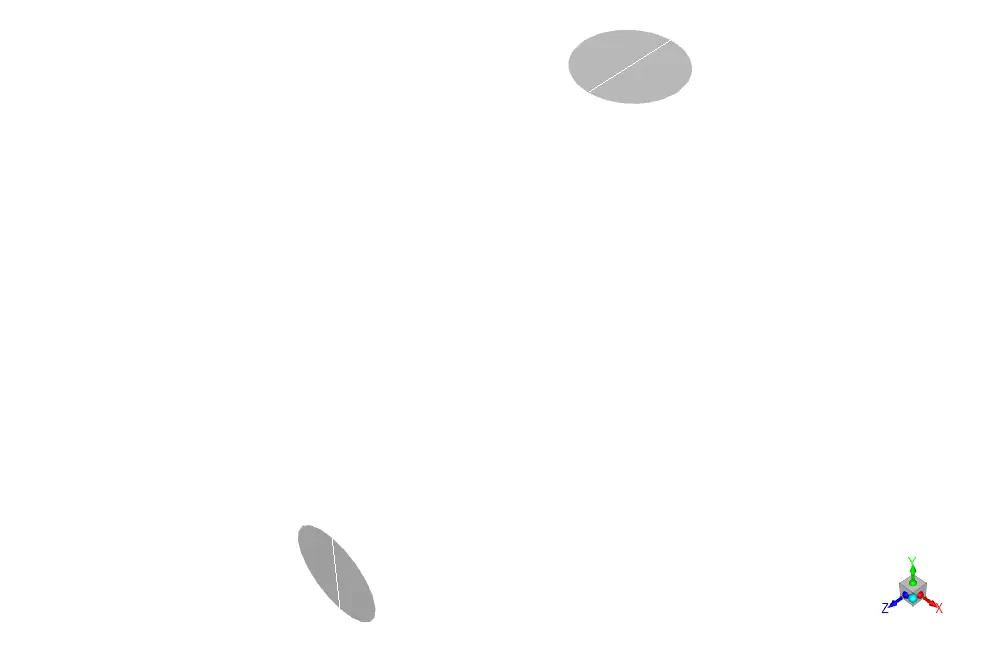
Two lines were made before and after the bend(depicted as white lines) to achieve statistical results. The plots were generated and shown below. In addition, the mean velocity contours are also presented. Note that the XY coordinates were written and are accessible in the results folder, so you can easily use them in Microsoft Excel.
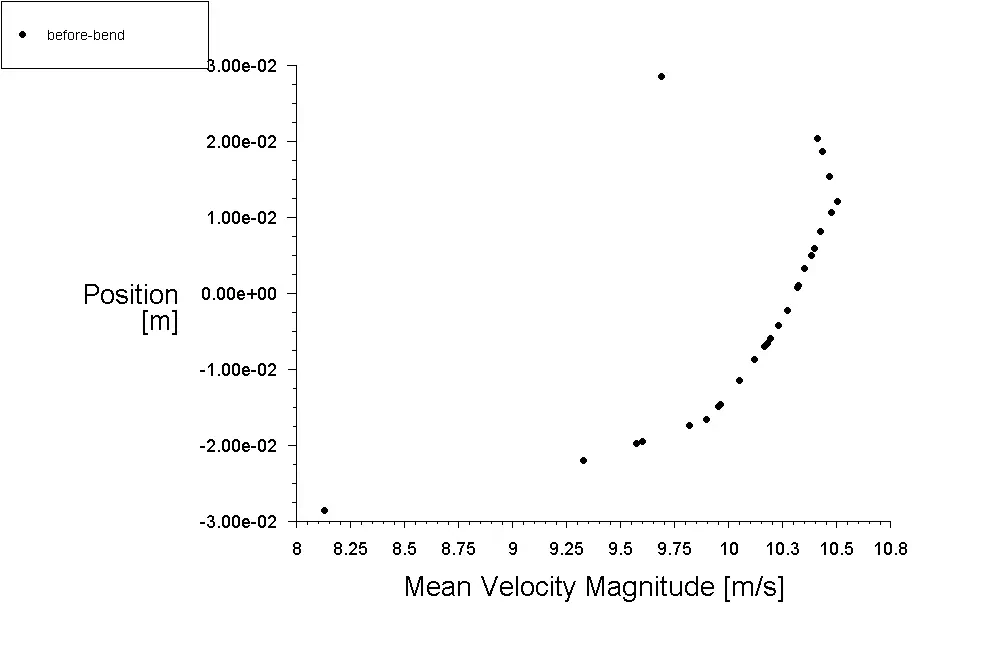
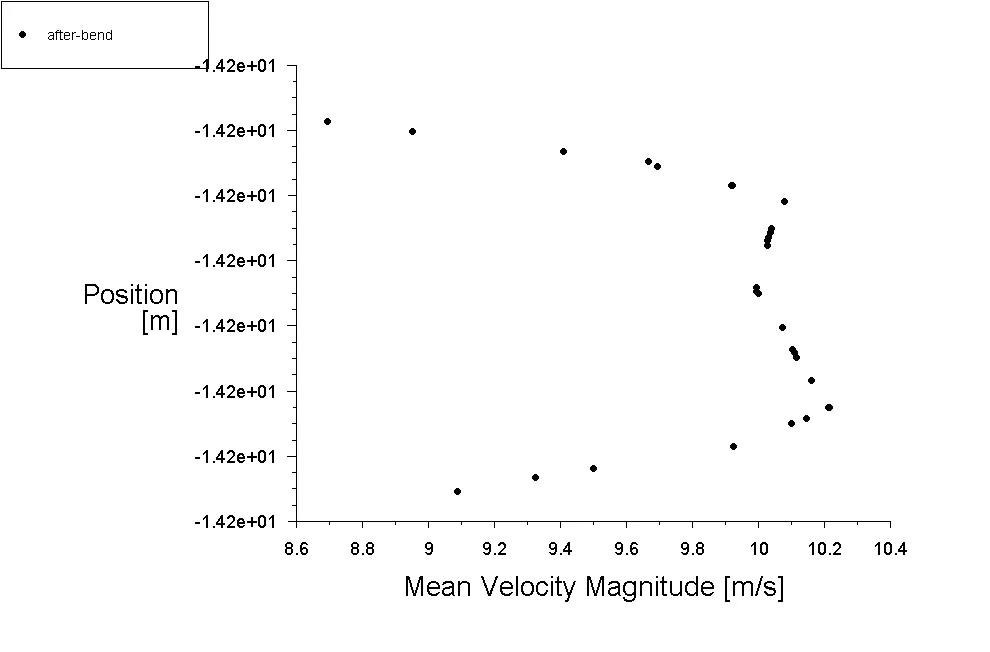
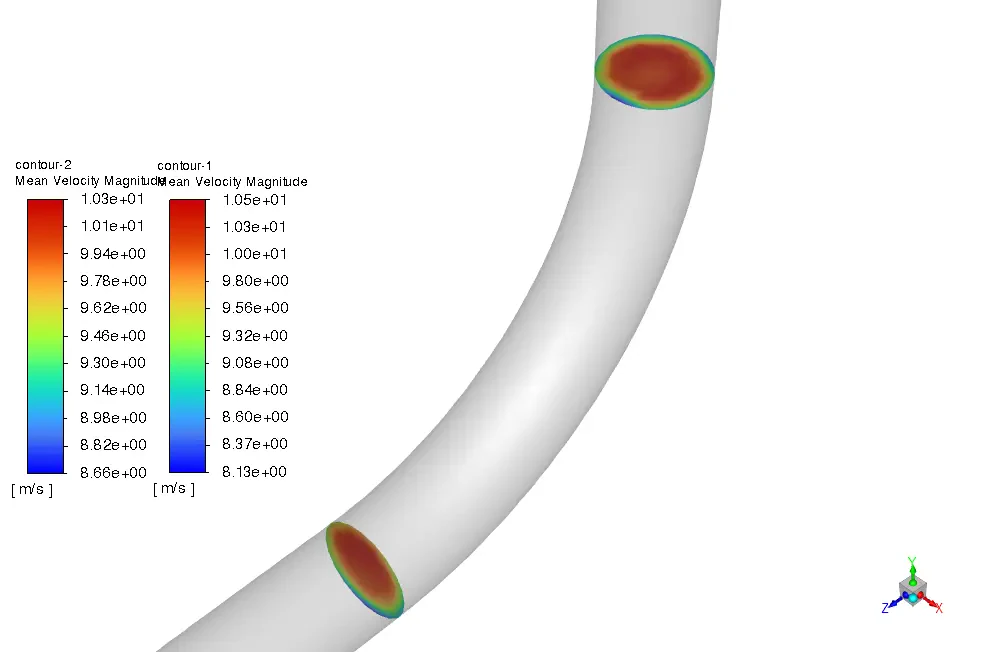
Furthermore, ANSYS Fluent reports the average of the particle`s mean velocity over the cross-section before and after the bend as 10.01882 & 9.882616, respectively.