


ANSYS SpaceClaim Training Course — Ep 01
Session 21
- Lesson
- 01
- Run Time
- 10m 18s
- Published
- May 5, 2026
- Category
- ANSYS Fluent
- Course Progress
- 0%
Description
The Facets tab in SpaceClaim is an important toolset for many mechanical and CFD engineers. Especially when dealing with scanned STL files, engineers often face challenges in converting these raw geometries into clean, analysis‑ready models. SpaceClaim’s Facets tab provides a range of practical tools that greatly simplify this preparation process. In this session, key options such as Holes, Auto Fix, Fix Sharps, and Shrinkwrap are explained and demonstrated.
Holes
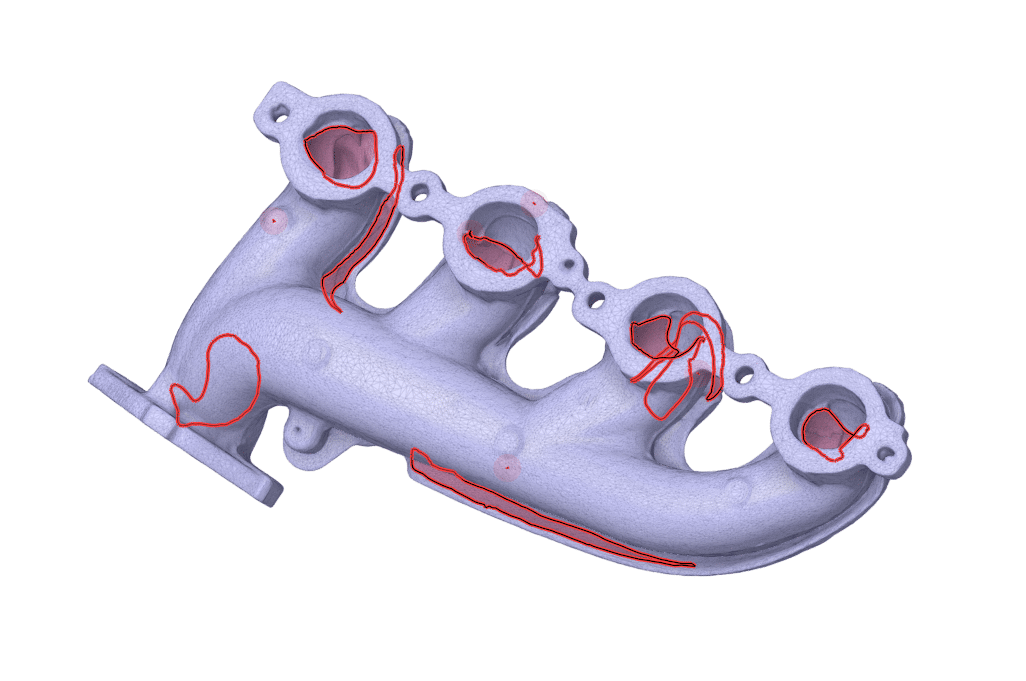
The Holes tool in the Facets tab works in a similar way to the Missing Faces command in the Repair tab. When activated, it automatically detects and highlights openings in the surface mesh that should be filled to create a closed geometry. You can then repair them individually or apply the fix to all detected holes at once.
Fix Sharps
Many scanned STL files contain unwanted sharp spikes protruding from the surface or deep scratches gouged into it, which are artifacts of the scanning process. The Fix Sharps tool identifies these unnatural sharp features and either flattens or smooths them out, resulting in a more regular and realistic surface.
Shrinkwrap
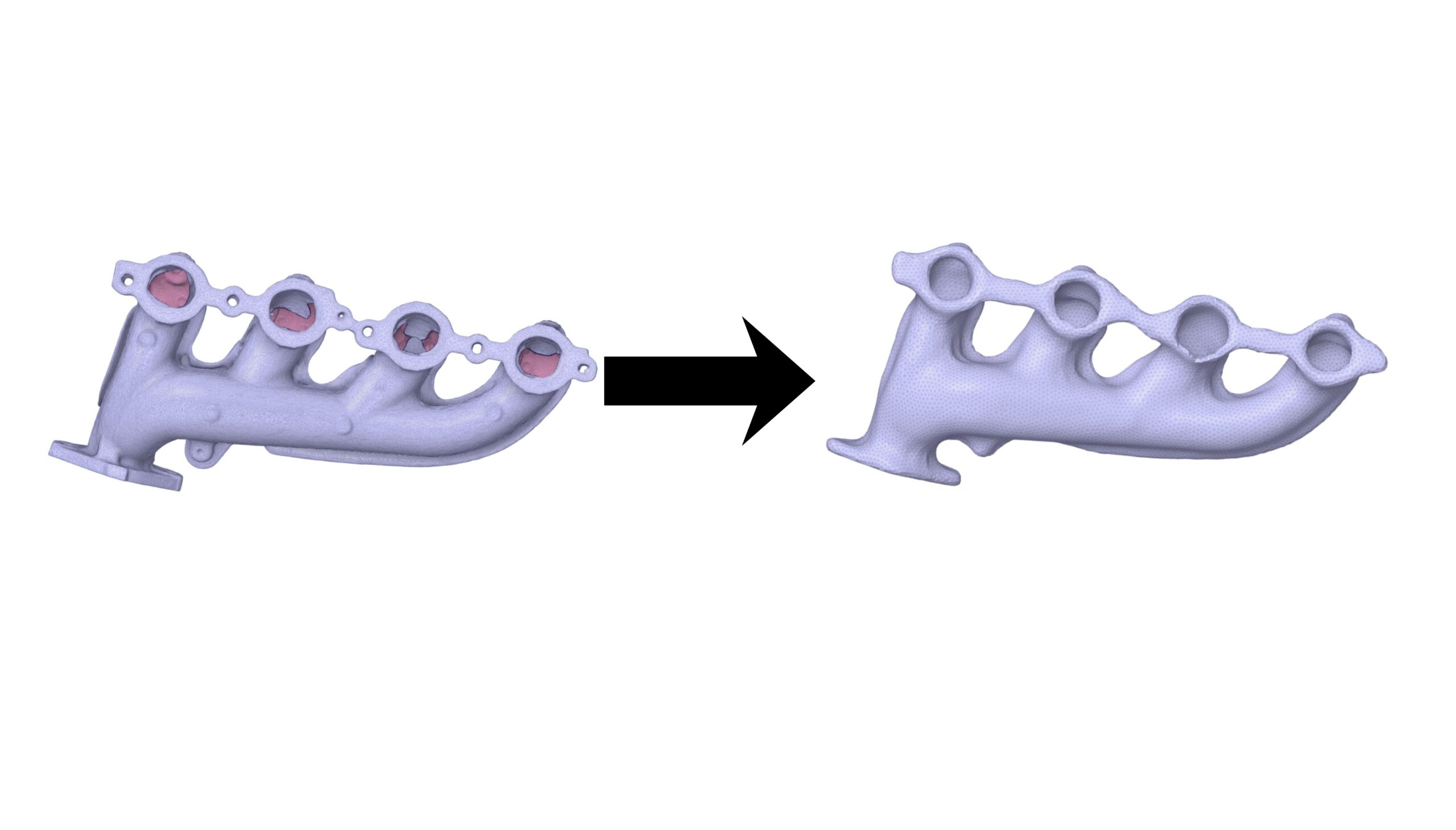
When working with complex assemblies made of many screws, plates, or with very noisy scans that contain numerous holes and defects, you may want a simple, clean outer “skin” of the part without the internal clutter. The Shrinkwrap tool in the Facets tab creates a tight, new digital shell around the object, effectively sealing gaps and ignoring internal details to produce a clean, simplified envelope.
Summary
The Facets tab offers several practical tools that help engineers prepare and repair STL‑based geometries for simulation. By completing this session, you will gain a solid foundation for handling such files, and with additional practice on more examples, you can further refine and improve your geometry‑preparation skills.