SpaceClaim Training Course

SpaceClaim Training Course

25
5h 1m 45s
  1. Section 1

    Introduction and History

    1. Lesson 1 10m Free
  2. Section 2

    Workspace, Toolbars and Tree Panel

    1. Lesson 1 12m 52s Free
  3. Section 3

    Layout, Units and Display Tools

    1. Lesson 1 10m 29s Free
  4. Section 4

    Advanced Sketch Tools

    1. Lesson 1 16m 2s Free
  5. Section 5

    3D Modeling

    1. Lesson 1 29m 22s Free
  6. Section 6

    The Powerful Move Tool

    1. Lesson 1 17m 31s Free
  7. Section 7

    Pattern Tool

    1. Lesson 1 14m 28s Free
  8. Section 8

    The useful Combine Tool

    1. Lesson 1 14m 55s Free
  9. Section 9

    Practical Overview of Move, Combine and Split Tools

    1. Lesson 1 13m 25s Free
  10. Section 10

    Fill Tool

    1. Lesson 1 7m 55s Free
  11. Section 11

    Blend Command

    1. Lesson 1 10m 5s Free
  12. Section 12

    Replace, Fill pattern and Mirror Tools

    1. Lesson 1 7m 46s Free
  13. Section 13

    Shell Tool

    1. Lesson 1 6m 59s Free
  14. Section 14

    Offset Tool

    1. Lesson 1 4m 2s Free
  15. Section 15

    Enclosure Tool

    1. Lesson 1 8m 1s Free
  16. Section 16

    Creating Assembly

    1. Lesson 1 16m 19s Free
  17. Section 17

    Measure Tools

    1. Lesson 1 12m 3s Free
  18. Section 18

    Repair Tab

    1. Lesson 1 8m 39s Free
  19. Section 19

    Repair: Part 2

    1. Lesson 1 19m 58s Free
  20. Section 20

    Practical Prepare Tab

    1. Lesson 1 8m 27s Free
  21. Section 21

    Facets Tab

    1. Lesson 1 10m 18s Free
  22. Section 22

    Spaceclaim Meshing

    1. Lesson 1 15m 1s Free
  23. Section 23

    Parametric Modeling

    1. Lesson 1 7m 3s Free
  24. Section 24

    Script Modeling

    1. Lesson 1 9m 4s Free
  25. Section 25

    SpaceClaim share topology

    1. Lesson 1 10m 57s Free
MR CFD
Oops! You are not logged in.

For watching this lesson you should sign in first, if you don't have an account, you can create one in seconds.

Toggle Lesson List

SpaceClaim Training Course — Ep 01

Session 24

Lesson
01
Run Time
9m 4s
Published
May 5, 2026
Course Progress
0%
Mark as Complete
Add to Watchlist
About This Lesson
  1. Introduction
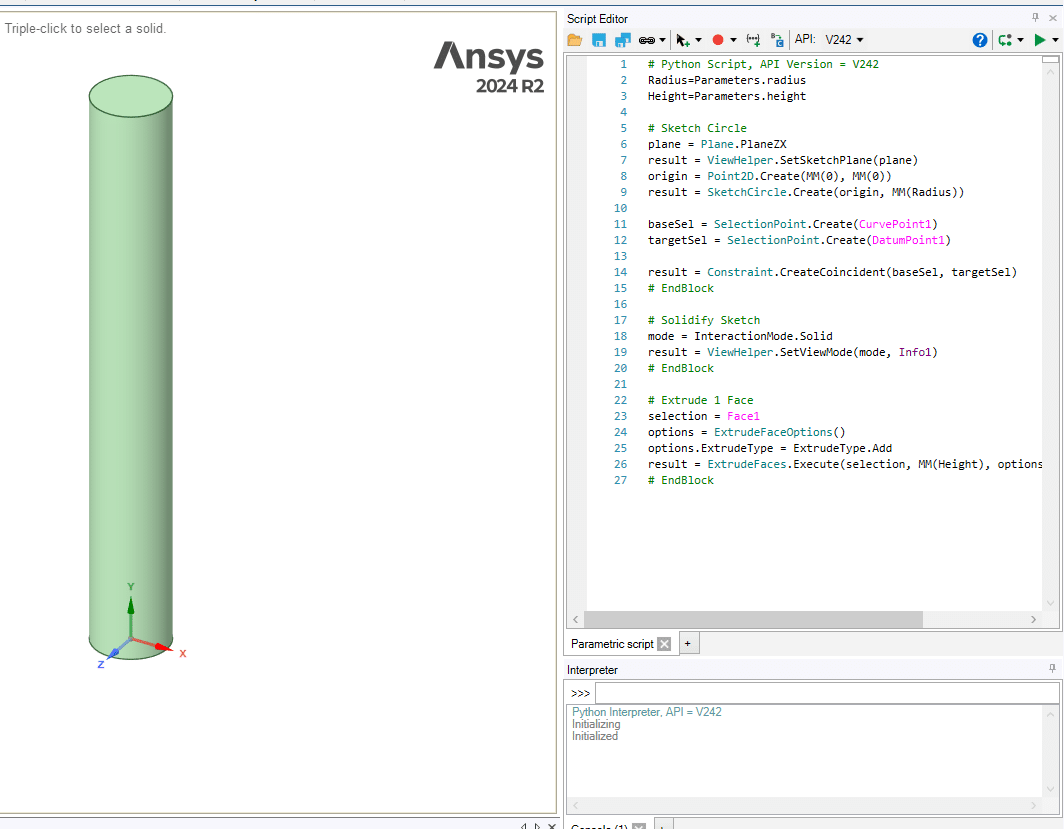
    Script Modeling is one of the most powerful and practical features in SpaceClaim. It allows you to store the Python code that defines your geometry, rather than working only with a static geometry file, which brings significant advantages in many workflows. These scripts can be used both inside SpaceClaim and in other code‑based or automated tasks. The software also lets you edit the script directly within the environment, and one of the most valuable capabilities in this mode is parametric design.
  2. Script Modeling

  3. Objectives
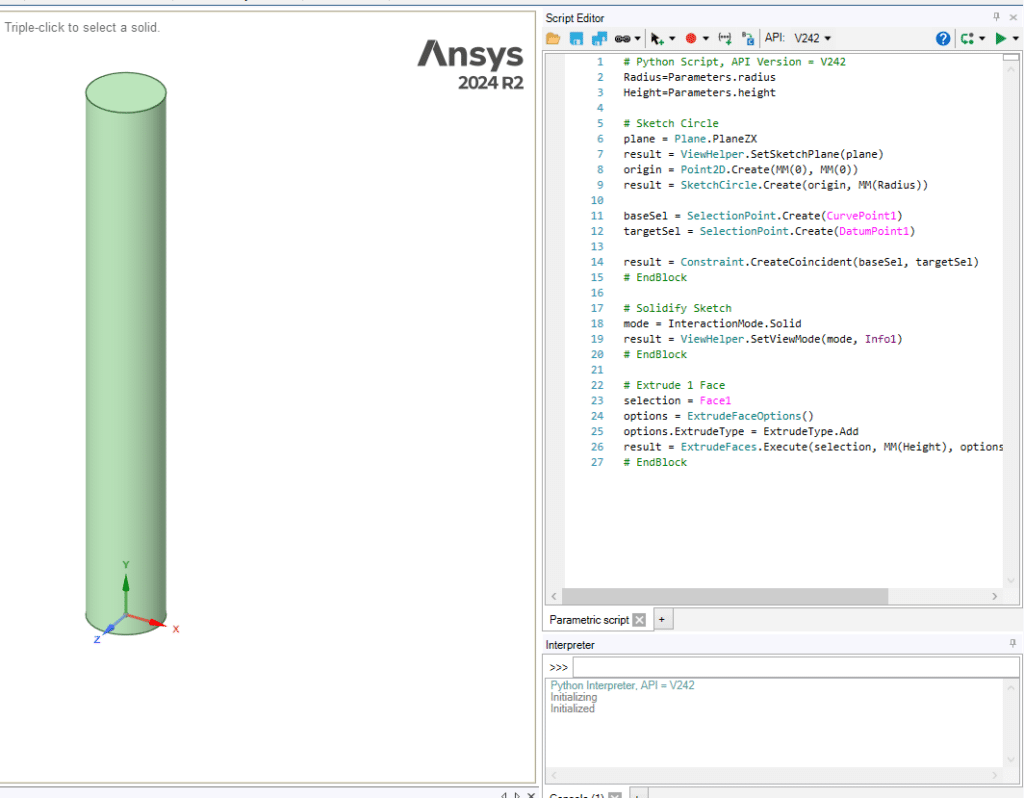
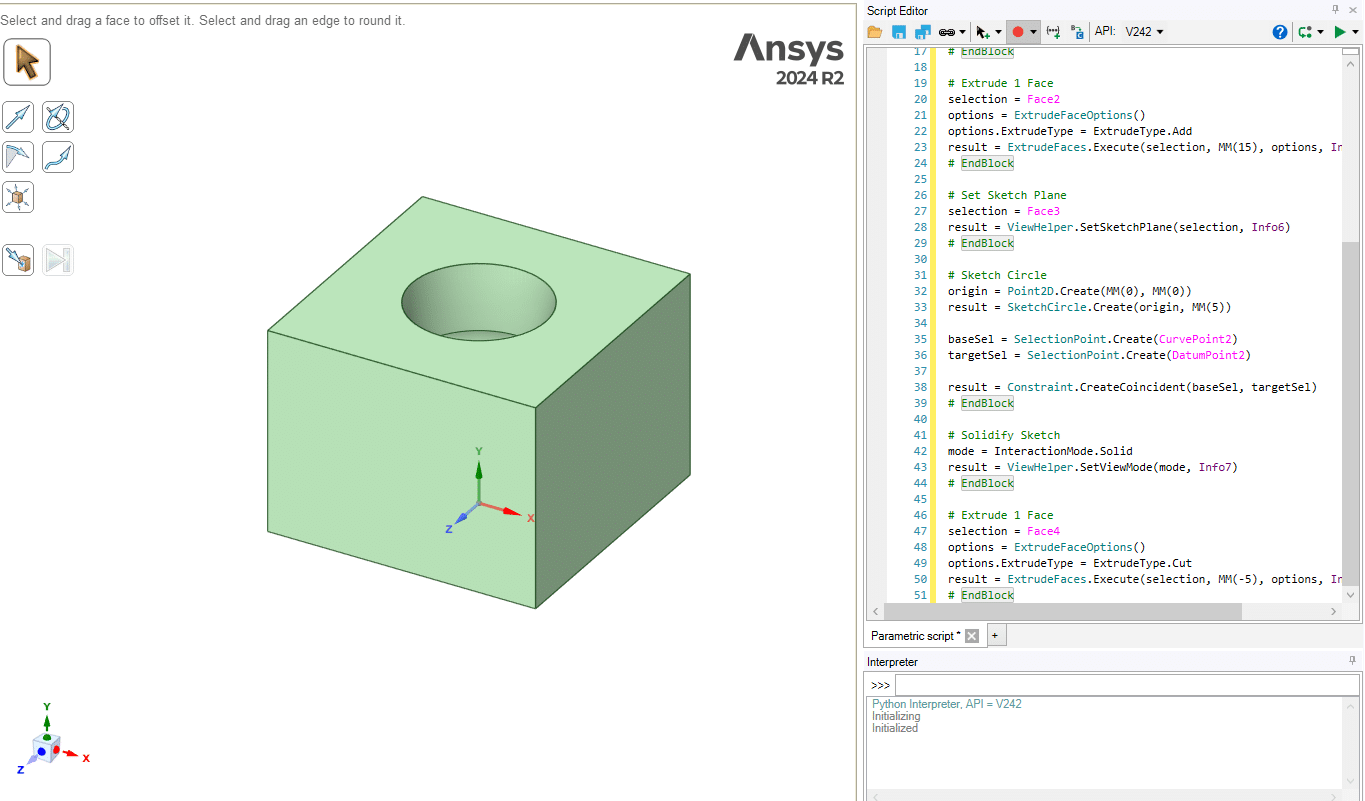
    In this session, you will be introduced to the basic concepts of Script Modeling. You will learn how to extract the Python code for your geometry while you create the model, giving you a live script that captures each step. Through several hands‑on examples, you will see how this feature works in practice. Finally, in a guided tutorial, you will create a parametric geometry using Script Modeling. The resulting parameter becomes accessible in Workbench, where it can be used in studies such as Design of Experiments (DOE) and optimization, allowing the value to be varied automatically and the geometry refreshed on the fly. For a more in‑depth understanding of DOE and its applications, you can refer to the MR CFD website and the training course titled “Optimization (DOE and RSM): ANSYS Fluent CFD Simulation Training Course”.
  4. Script Modeling

  5. Summary
    This session covers the fundamentals of Script Modeling in SpaceClaim. You will learn how to record Python code while drawing geometry, edit it in the built‑in Script Editor, and save or reload scripts for reuse. Using practical examples, you will see how to change dimensions directly in the code and how to define parametric designs via script parameters. By the end, you will be able to automate repetitive modeling tasks and build flexible, code‑driven geometries that integrate smoothly into larger simulation and optimization workflows.