


ANSYS SpaceClaim Training Course — Ep 01
Session 23
- Lesson
- 01
- Run Time
- 7m 3s
- Published
- May 5, 2026
- Category
- ANSYS Fluent
- Course Progress
- 0%
Introduction
Parametric modeling in SpaceClaim is one of the most practical and flexible modeling approaches, because it preserves the full history of your design and lets you go back and modify the geometry at any stage. In this session, this feature is introduced and its capabilities are illustrated by creating and editing several simple geometries. You will see how to record modeling steps, change key dimensions, and update the model without having to rebuild it from the beginning. By the end, you will be able to use parametric modeling in SpaceClaim as an efficient method to control and iterate your geometry.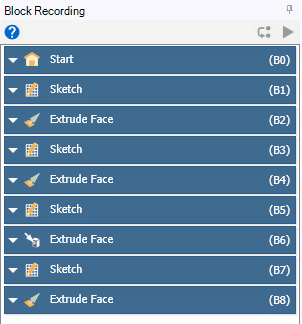
Add Parameter
The Add Parameter command converts a standard dimension into a controllable model parameter. When you apply Add Parameter to a dimension such as a diameter or length, that value is added to the parameter set and can be edited later without opening or redrawing the sketch. This parameter then becomes available in Workbench, where it can be used in studies like Design of Experiments (DOE) and optimization, allowing the value to be varied automatically and the geometry regenerated accordingly. For a more detailed understanding of DOE and its applications, you can visit the MR CFD website and study the course titled “Optimization (DOE and RSM): ANSYS Fluent CFD Simulation Training Course”.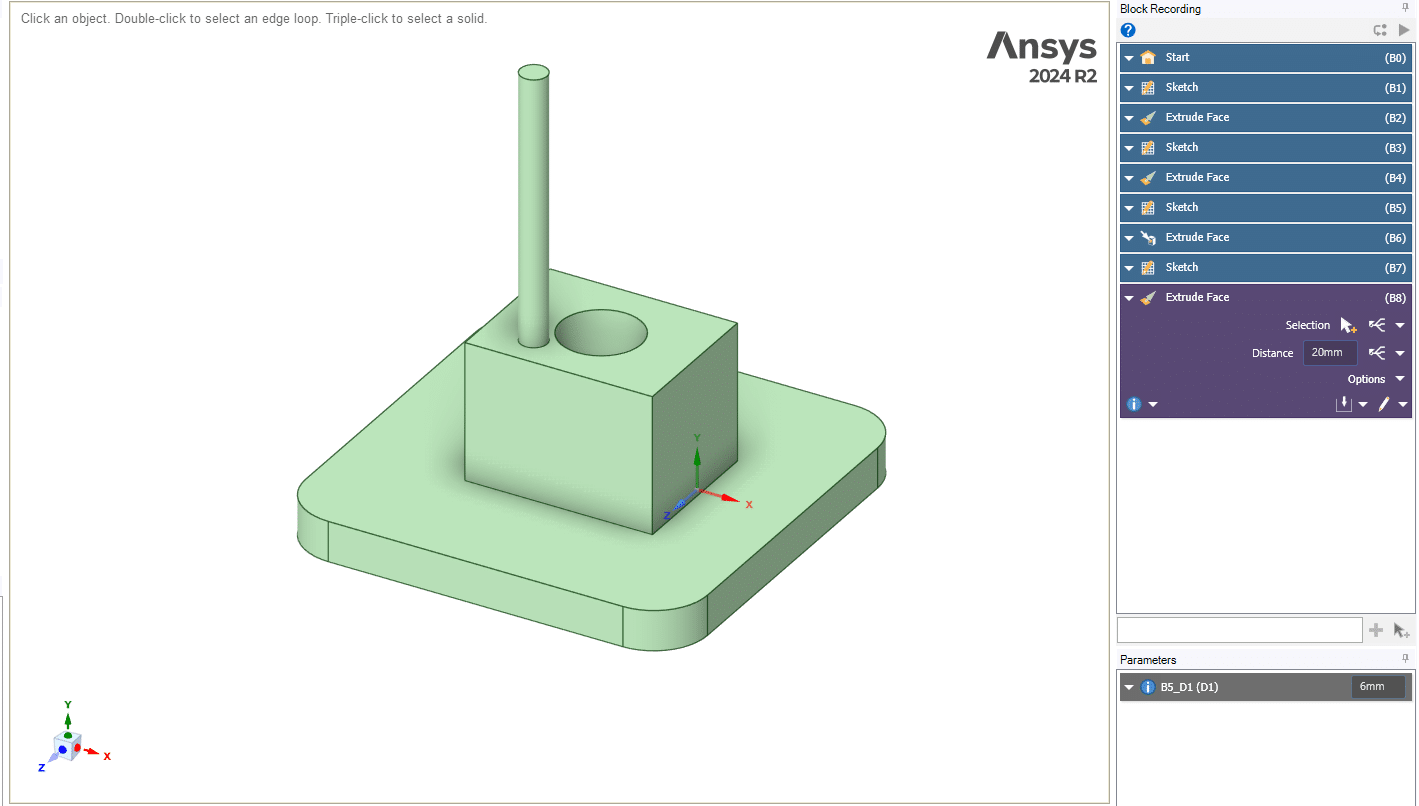
Summary
This tutorial showed how to use parametric modeling and Block Recording in ANSYS SpaceClaim to create and modify geometry in a controlled and repeatable way. You learned how to build simple 3D shapes from sketches, adjust their main dimensions, and keep track of all operations through the Blocks panel. A modified diameter was converted into a parameter using the Add Parameter option, making it accessible in Workbench for parametric studies such as DOE and optimization.